The following groups contain the roles for use in Ontrack Staff Hub:
 EBS Ontrack Agent
The roles for Ontrack Staff Hub are located in the EBS Ontrack Agent group.
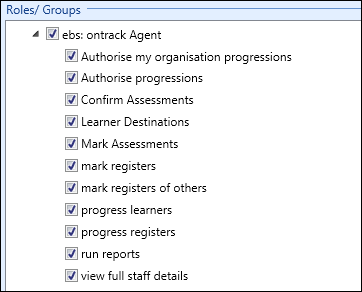
The roles available in the EBS Ontrack Agent group are described in the following table.
| Role | Allows users to... |
|---|---|
| Authorise my organisation progressions | This role is not applicable in Ontrack Staff Hub. |
| Authorise progressions | This role is not applicable in Ontrack Staff Hub. |
| Confirm Assessments | Confirm assessments for any learners irrespective of their organisation in Ontrack Staff Hub. |
| Mark Assessments | Mark assessments in Ontrack Staff Hub. |
| Mark registers | Mark their eRegisters in Ontrack Staff Hub. A user will only be able to mark an eRegister if they are active on the register in question and if they are attached with a person function that allows them to mark registers. |
| Mark registers of others | Mark any eRegister that is open for marking in Ontrack Staff Hub. |
| Progress learners | Progress learners in Ontrack Staff Hub. |
| Progress registers | Make learner progress status changes in an eRegister in Ontrack Staff Hub. |
| Run reports | This role is not applicable in Ontrack Staff Hub. |
| View full staff details |
View personal details for other members of staff in the database in Ontrack Staff Hub, for example: date of birth, address, telephone number, and so on. This role works against the staff code field in the people table to determine whether a record is a member of staff (read-only). A user without this role will be presented with # signs to hide the sort of data listed above. |
EBS Ontrack Edit Marked Register
Licence required: EBS4AgentEditMarkReg .
The role for editing marked registers is located in the EBS Ontrack Edit Marked Register group.
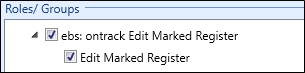
The role in the EBS Ontrack Edit Marked Register group is described in the following table.
| Role | Allows users to... |
|---|---|
| Edit Marked Register | Edit eRegisters that have been previously marked in Ontrack Staff Hub. |
EBS Ontrack Tribal ILP
The EBS Ontrack Tribal ILP group allows you to manage roles for the Tribal ILP (2021) module.
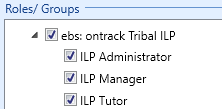
The roles are described in the following table.
| Role | Allows users to... |
|---|---|
| ILP Administrator | Access to all ILP Admin screens and functionality except for the Groups screen. |
| ILP Manager | View all ILP screens, but not edit or create. |
| ILP Tutor | ILP Tutor in Ontrack Staff Hub and associated REST Services. |